

Use Our Free Projected Area Calculator
Our Projected Area Calculator for Injection Molding helps you quickly estimate:
- Mold projected area
- Clamp force
- Recommended machine tonnage
Try the calculator above and simplify your mold design decisions.
What Is a Projected Area Calculator?
A Projected Area Calculator is a tool used in injection molding to determine the projected area of a molded part and estimate the clamping force required for production.
Projected area refers to the area of the part as viewed from the mold opening direction. It is one of the most important factors for selecting the right injection molding machine tonnage.
Using a projected area calculator helps engineers:
- Estimate mold clamping force
- Select proper injection machine tonnage
- Prevent flash defects
- Optimize mold design
- Evaluate cavity layouts before production
How Does a Projected Area Calculator Work?
A projected area calculator uses the basic formula:
Projected Area=Length×WidthProjected\ Area = Length \times Width
For multi-cavity molds:
Total Projected Area=(Part Area×Cavities)+Runner AreaTotal\ Projected\ Area=(Part\ Area \times Cavities)+Runner\ Area
Then clamping force is estimated:
Clamp Force=Projected Area×Material Factor×Safety FactorClamp\ Force=Projected\ Area \times Material\ Factor \times Safety\ Factor
The calculator combines these values to recommend proper machine tonnage.
Why Projected Area Matters in Injection Molding
Projected area directly affects mold opening force during injection.
If projected area is underestimated:
- Flash may occur
- Parting line separation can happen
- Clamp force may be insufficient
- Mold wear may increase
If projected area is calculated correctly:
- Machine selection improves
- Production becomes more stable
- Cycle consistency increases
- Tooling design is optimized
That’s why a projected area calculator is often used during mold design and quoting.
Inputs Required in a Projected Area Calculator
A standard projected area calculator usually includes:
- Part Length and Width: Used to calculate single-part projected area.
- Number of Cavities: Total area increases with cavity count.
- Runner Projected Area: Cold runner systems also contribute to clamp force requirements.
- Material Type: Different materials require different clamp pressure.
Examples:
- PP / PE → lower clamp factor
- ABS → medium
- PC / Nylon → higher
Safety Factor
Typically 1.1–1.2 to provide process margin.
Example Using a Projected Area Calculator
Suppose:
- Part size: 100 mm × 80 mm
- 4 cavities
- Runner area: 1200 mm²
- Material: ABS
- Safety factor: 1.15
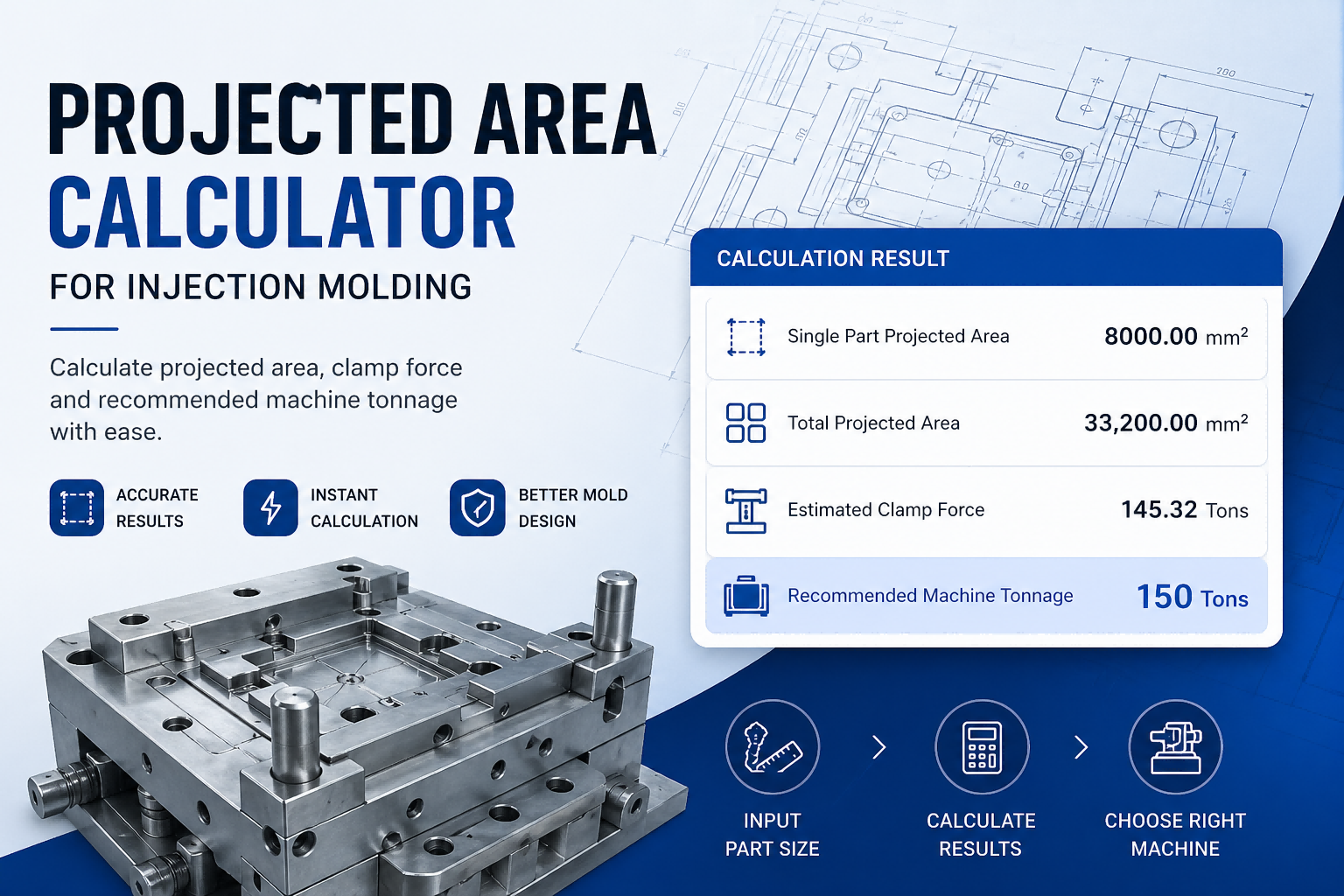
Step 1: Projected area per part: 100 × 80 = 8000 mm²
Step 2: Total projected area: (8000 × 4) +1200 = 33,200 mm²
Step 3: Calculator estimates clamp force and recommends machine tonnage.
Using a projected area calculator makes this process much faster than manual calculations.
How to Use Our Projected Area Calculator
Using the calculator is simple:
- Enter part length and width
- Input cavity quantity
- Add runner projected area
- Select material
- Apply safety factor
- Click Calculate
The projected area calculator will instantly show:
- Single part projected area
- Total projected area
- Estimated clamp force
- Recommended machine tonnage
How to Improve Accuracy in Projected Area Calculations
To get better results from a projected area calculator:
- Include Runner Area: Many users forget this.
- Consider Complex Part Geometry: For irregular shapes, CAD projected area may be more accurate.
- Use Correct Material Clamp Factors: Material pressure can significantly affect tonnage.
- Add Safety Margin: Especially for thin-wall or high-pressure molding.
Projected Area Calculator vs Manual Calculation
| Method | Manual | Calculator |
|---|---|---|
| Speed | Slow | Fast |
| Accuracy | Depends | Higher |
| Multi-Cavity Support | Limited | Easy |
| Machine Tonnage Estimate | Manual | Automatic |
For most engineers, a projected area calculator is far more efficient.
FAQs about Projected Area Calculator
Q1: What is projected area in injection molding?
It is the surface area of the part projected onto the mold opening plane.
Q2: Does runner area count in projected area?
Yes, runner projected area should be included.
Q3: How does projected area affect clamp force?
Larger projected area requires greater clamping force.
Q4: Can a projected area calculator estimate machine tonnage?
Yes, that is one of its main functions.




 English
  Chinese
  German
  Italian
  Spanish
  French
  Russian
  Arabic
  Japanese
  Korean